

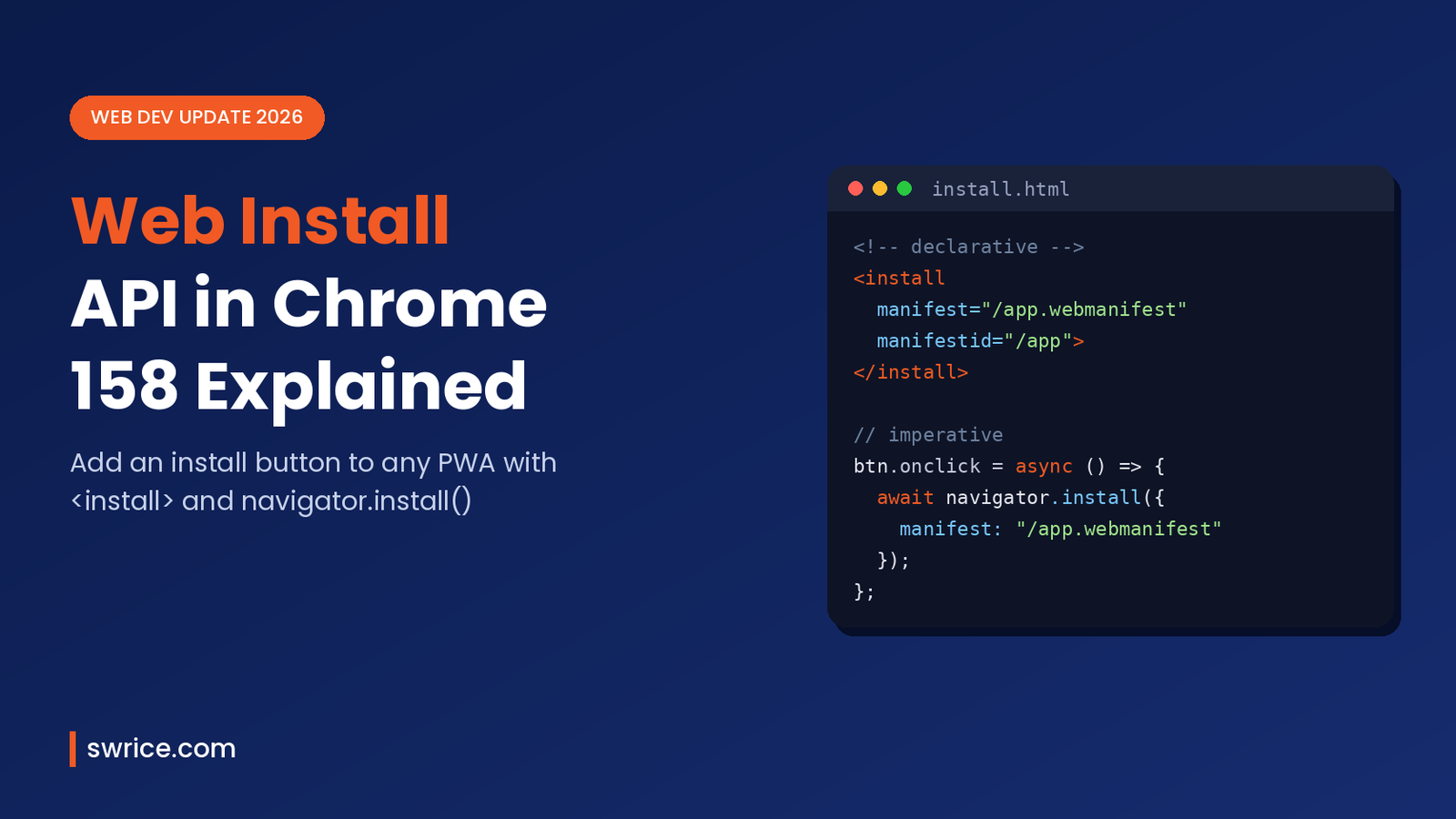
The Web Install API lets a website show its own install button for a web app. Chrome 158 is the release that brings it to desktop. Until now, developers had to catch the beforeinstallprompt event and hope the browser fired it. That approach was fragile and only worked for the current site.
Chrome 158 has been in beta since October 28, 2026. Its release notes list two new ways to trigger an install: the declarative <install> HTML element and the imperative navigator.install() method. In this guide, you will learn what each one does and how to use it. You will also see what to check before you ship.
What Is the Web Install API?
The Web Install API is a browser feature that asks the user to install a web app from a page. You give it a manifest URL and, optionally, a manifest ID. The browser then shows its own prompt, and the user decides. In other words, your site requests the install, but Chrome stays in control of the final step.
Microsoft Edge engineers started the proposal, and the work now lives in the WICG Web Install draft. Both Chrome and Edge ran origin trials before shipping. As a result, the feature has already been tested on real sites.
There are two entry points:
<install>– an HTML element that renders a browser-controlled install button. It works without any JavaScript.navigator.install()– a promise-based JavaScript method you call from your own button or menu.
Both use the same install flow underneath. So you can pick whichever fits your project best.
Why the Web Install API Matters for PWA Developers
For years, installing a progressive web app depended on the browser’s address bar icon or the beforeinstallprompt event. However, that event is non-standard, and many users never notice the icon. Consequently, install rates for PWAs have stayed low.
The new API fixes three common problems:
- Discoverability: you can place an install button exactly where users expect it.
- Cross-site installs: one site can offer to install another site’s app, which is useful for app catalogues and company portals.
- Less boilerplate: the declarative element needs no event listeners at all.
In short, it gives web apps an install path that feels closer to an app store link. If you already build PWAs for clients, this is worth testing now.
How to Use the <install> Element
The simplest option is the <install> element. If you omit both attributes, the browser targets the current page’s own manifest. That manifest should include an id field.
<install>
  <a href="/install-help">How to install this app</a>
</install>
The link inside the element is fallback content. Browsers that do not support the element simply show the link instead. Therefore, older browsers still get something useful.
Installing Another App With manifest and manifestid
To install a different app, add the manifest attribute with its manifest URL. You can also add manifestid to state the expected ID.
<install
  manifest="https://music.example/manifest.webmanifest"
  manifestid="https://music.example/app">
  <a href="https://music.example/">Open Music Example</a>
</install>
Note that the HTML attribute is lowercase manifestid, while the JavaScript property is manifestId. Also, supplying manifestid without manifest counts as invalid install data.
Styling and Security Rules
Chrome draws the button’s label, language and look. This is intentional. Because the page cannot fake the button, a click on it is a trusted signal of intent.
The element also has guard rails. It must stay within a minimum and maximum size, and it cannot be fully transparent, clipped or covered. Moreover, it will not activate if it is off-screen or was only just added to the page.
How to Use navigator.install() in JavaScript
If you want your own button design, use the imperative method. With no arguments, navigator.install() installs the current document’s app.
const installBtn = document.querySelector('#install');

installBtn.addEventListener('click', async () => {
  if (!('install' in navigator)) return; // not supported
  try {
    await navigator.install();
  } catch (err) {
    if (err.name === 'AbortError') {
      // the user closed or cancelled the prompt
    } else if (err.name === 'DataError') {
      // no manifest, or the manifest has no id
    }
  }
});
To install another app, pass an options object. The manifest URL is required, and the ID is optional.
await navigator.install({
  manifest: 'https://music.example/manifest.webmanifest',
  manifestId: 'https://music.example/app'
});
Be careful with older tutorials. Earlier versions of the Web Install API accepted plain string arguments, but those overloads have since been removed. Today, an empty manifest value throws a TypeError.
Requirements for Calling the API
- The page must be a secure context (HTTPS).
- The call needs a user activation, such as a click or tap.
- It must run in a top-level frame, not inside an iframe.
- The target app must still meet Chrome’s normal installability rules.
- Private modes such as Incognito or Guest should reject the request.
If you are still serving any pages over plain HTTP, fix that first. Our guide to Chrome HTTPS by default explains the warnings and the fixes.
Web Install API vs beforeinstallprompt
Many PWAs still rely on beforeinstallprompt. So how does the Web Install API compare? The list below sums up the key differences in plain terms.
- Trigger:
beforeinstallpromptfires only when Chrome decides; the Web Install API runs when the user clicks your button. - Scope: the old event covers the current site only, while the new API can also install other apps.
- Markup: the old event always needs JavaScript, whereas the element works with plain HTML.
- Standards track: the old event is non-standard; the new API has a WICG draft and web platform tests.
That said, the old event is not going away overnight. For now, the safest plan is to use the Web Install API where it is supported and keep your existing code as a fallback.
Feature Detection and Fallbacks
Firefox and Safari do not support this feature yet. In fact, WebKit has publicly opposed it, arguing that installs should start in browser UI. So you should always detect support first.
const hasElement = 'HTMLInstallElement' in window;
const hasMethod = 'install' in navigator;

if (!hasElement && !hasMethod) {
  // show manual install instructions instead
}
For the element, the fallback content handles this for you. Even so, test in a browser without the Web Install API to confirm the fallback looks right. For the method, show a help link or keep your existing beforeinstallprompt logic as a backup.
Debugging the Web Install API in Chrome DevTools
Chrome DevTools now helps here too. According to the New in DevTools (November 2026) post, the Issues panel reports manifest problems for navigator.install and <install>. For example, it flags fetch failures, syntax errors, invalid start_url values and missing IDs.
Each issue links to the affected file, so you can fix it quickly. Additionally, you can find an app’s computed ID under Application → Identity. If you use AI agents to debug, our Chrome DevTools MCP guide shows how to connect them to DevTools.
Browser Support, Platforms and Enterprise Controls
Here is the current status, based on the Chromium shipping intents:
- Chrome desktop: Windows, macOS, Linux and ChromeOS come first.
- Android: planned later. There are no plans for Android WebView.
- Firefox: no official position yet.
- Safari: opposed, so do not expect support soon.
IT admins also get controls. The WebAppInstallByUserEnabled policy can turn off user installs completely. In addition, the web-app-installation Permissions Policy can allow or block the feature for specific origins.
Best Practices Before You Ship
- Add a stable
idto your manifest so the browser can match the app reliably. - Only show the install button where it adds value, such as after sign-in or on a pricing page.
- Keep fallback content inside every
<install>element. - Handle
AbortErrorquietly, because a cancelled prompt is a normal user choice. - Re-check the spec before launch, since the result types are still marked as unresolved.
FAQ
Is the Web Install API available in Chrome stable?
It is listed in the Chrome 158 release notes. Chrome 158 has been in beta since October 28, 2026, and the feature ships on desktop first.
Does it replace beforeinstallprompt?
Not right away. It is meant to improve on beforeinstallprompt, but you should keep both while other browsers catch up.
Can a site install an app without asking the user?
No. Every install needs a user click and explicit consent in Chrome’s own prompt.
Does the Web Install API work in Safari or Firefox?
Not at the moment. Use feature detection and fallback content for those browsers.
Conclusion
The Web Install API finally gives web apps a clear, standard install button. The <install> element suits simple pages, while navigator.install() gives you full control over design and error handling. Start by adding a manifest id, test in Chrome 158 beta, and keep good fallbacks in place.
Want more on new browser features? Read our guide to HTML in Canvas in Chrome 157 next.
Sources
- Chrome 158 release notes – Chrome Platform Status
- Chrome 158 beta – Chrome for Developers
- Web Install draft specification – WICG
- Install web apps with the new HTML install element – Chrome for Developers
- New in DevTools (November 2026) – Chrome for Developers
- Web Install API explainer – Microsoft Edge
Need Help With Your Website or Web App?
Swrice builds and customises WordPress sites, plugins and web apps. Whether you need an upgrade, a custom feature or a fix, our team can handle it for you.
Leave a Reply