

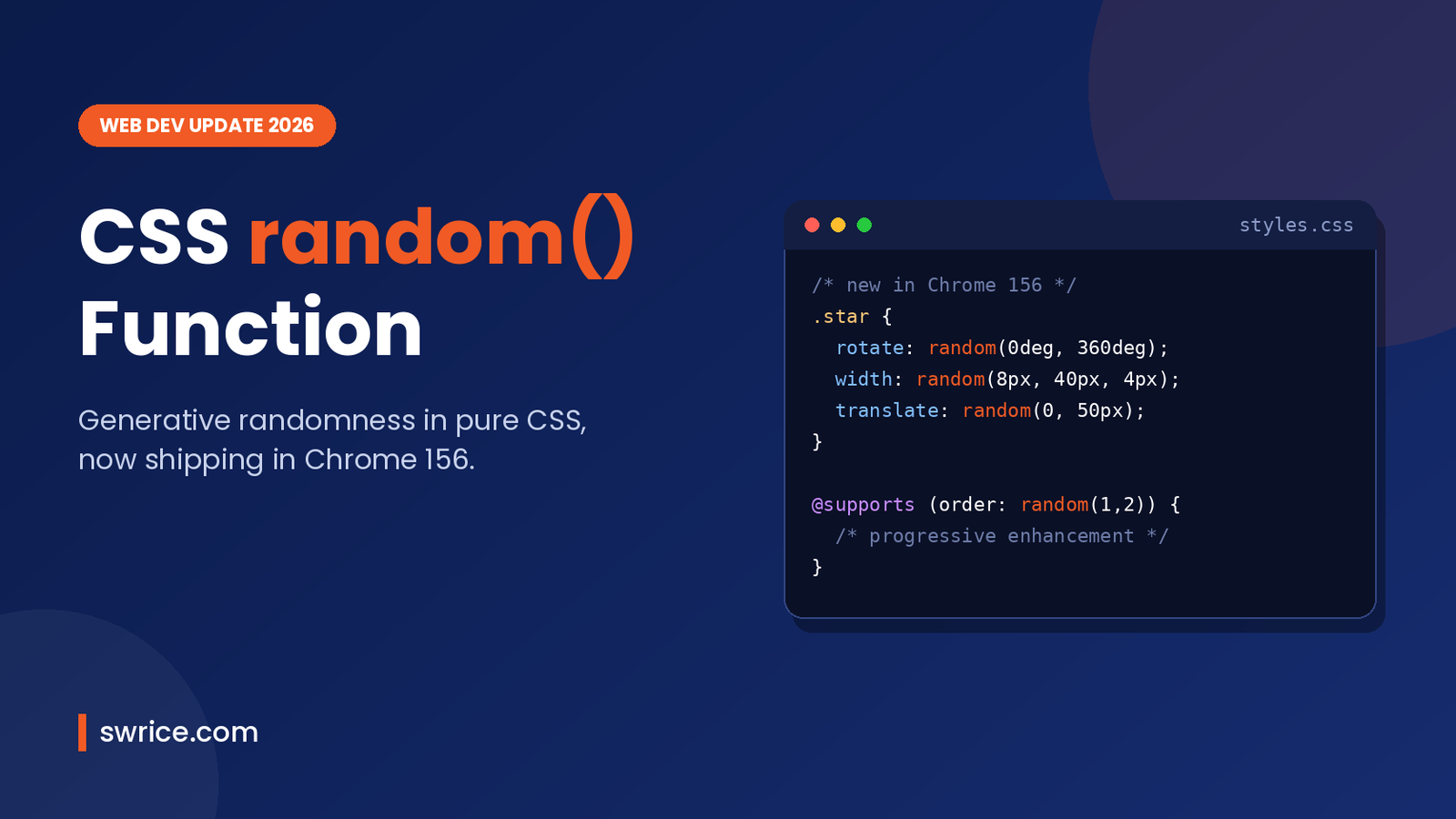
The CSS random function finally lets you add randomness to a page without a single line of JavaScript. Chrome 156 reached the stable channel on October 20, 2026. It ships random() as one of its headline CSS features. As a result, you can now give each element a random size, rotation, colour or delay straight from your stylesheet.
In this guide, we explain what the function does and how its syntax works. We also cover the keys that control shared values and some practical examples. Finally, you will see how to ship it safely while other browsers catch up.
What Is the CSS random Function?
random() is a new CSS value function from the CSS Values and Units Module Level 5 draft. It returns a random value between a minimum and a maximum that you set. Optionally, you can also round the result to a fixed step.
According to MDN, it works with lengths, angles, times, frequencies, resolutions, percentages, numbers and integers. In other words, almost any numeric value in a property can now be randomised.
Before the CSS random function, developers had two options for this kind of effect. They either generated inline styles with JavaScript, or they hard-coded dozens of nth-child rules. Both approaches add weight and complexity. The new function moves that work into the browser’s style engine instead.
Which Browsers Support It?
Support for the CSS random function is still limited, so plan for progressive enhancement. Here is where things stand in early November 2026:
- Chrome 156 and later: shipped in stable on October 20, 2026, according to Chrome Status. Other Chromium browsers such as Edge typically follow.
- Safari: WebKit first made it available to try in Safari Technology Preview back in 2025.
- Firefox: not available in the stable release yet.
Because of this, MDN still marks the feature as “Limited availability” rather than Baseline. Therefore, treat random values as a visual bonus, not something your layout depends on.
CSS random Function Syntax Explained
The CSS random function takes two required arguments and two optional ones. Here is the full shape:
random( <random-key>? , <min> , <max> , <step>? )The minimum and maximum must resolve to the same type. For example, you can mix px and rem, or deg and turn. However, you cannot mix a length with an angle. Here are some simple calls:
/* Any number from 0 to 100 */
opacity: calc(random(0, 100) / 100);

/* A random width between 10px and 500px */
width: random(10px, 500px);

/* A random rotation */
rotate: random(0deg, 360deg);
Using the Step Argument
The optional fourth argument rounds the result to a step. For instance, random(0, 100, 10) can only return 0, 10, 20 and so on up to 100. This is handy when you want variety but still need values that fit your design system.
.tile {
  /* Only 0deg, 45deg, 90deg ... 360deg */
  rotate: random(0deg, 360deg, 45deg);

  /* Only 100px, 150px, 200px, 250px or 300px */
  width: random(100px, 300px, 50px);
}
Controlling Shared Values With Random Keys
This is the part that confuses most developers at first. By default, each random() call gets its own independent value. However, the optional first argument, called the random key, lets you decide which calls share the same result.
auto(the default) gives independent values per element, property and position.element-scopedgives each element one value that is shared across its properties. So width and height match on one element but differ between elements.property-scopedshares one value per property across all elements. Every element gets the same width, for example.property-index-scopedalso uses the position in the declaration, which is useful in shorthands like margin.- A custom name such as
--sizeshares the value everywhere that name is used. You can also combine it with a scope keyword. fixed 0.5skips randomness and uses your number as the base value. It must be at least 0 and below 1, which makes it great for testing.
For example, the following rule creates random squares rather than random rectangles. That is because width and height share the same named key on each element:
.particle {
  width: random(--particle-size element-scoped, 0.25em, 1em);
  height: random(--particle-size element-scoped, 0.25em, 1em);
}
One more detail is worth knowing. Reports on Chrome 156 note that an older keyword, per-element, is rejected and the whole declaration is dropped. So stick to element-scoped in production code.
Practical Examples You Can Copy
Now let’s look at a few real patterns for the CSS random function. These effects used to need a script or a lot of repetitive CSS.
1. Natural-Looking Scattered Cards
A slight random tilt makes a grid of cards, photos or sticky notes feel hand-placed. Meanwhile, the step keeps the angles tidy.
.note {
  rotate: random(-4deg, 4deg, 1deg);
  translate: 0 random(0px, 12px);
}
2. Starfields and Confetti
Particle effects are a natural fit. Each element can get its own position, size and animation delay, so no two particles move in sync.
.star {
  position: fixed;
  top: random(0%, 100%);
  left: random(0%, 100%);
  width: random(--star element-scoped, 2px, 6px);
  height: random(--star element-scoped, 2px, 6px);
  animation: twinkle 2s random(0s, 3s) infinite alternate;
}
3. Random Accent Colours
You can also randomise a hue inside a colour function. For example, hsl(random(0, 360) 60% 50%) gives each badge a different colour. However, be careful here. MDN warns that random colours can produce poor contrast, so keep text colours fixed and only randomise decorative backgrounds.
Custom Properties: A Common Gotcha
If you store random() in an unregistered custom property, it behaves like text substitution. In practice, every var() use rolls a new value. Consequently, a “square” built from one variable can end up as a rectangle.
To lock in a single value, register the property with @property. Then the computed value is stored once and reused.
@property --card-size {
  syntax: "<length>";
  inherits: true;
  initial-value: random(100px, 200px);
}

.card {
  width: var(--card-size);
  height: var(--card-size);
}
How to Use the CSS random Function Safely Today
Since Firefox and stable Safari do not support it yet, wrap random styles in a feature query. First, write a sensible static default. Next, layer the random version on top only where it works.
.note {
  rotate: -2deg; /* fallback for every browser */
}

@supports (order: random(1, 2)) {
  .note {
    rotate: random(-4deg, 4deg, 1deg);
  }
}
A few more tips will help you avoid surprises:
- Keep randomness decorative. Never randomise anything that affects reading order, tap targets or text contrast.
- Respect motion settings. If random values drive animation, also add a
prefers-reduced-motionquery. - Test with
fixedkeys. A fixed base value makes screenshots and visual regression tests repeatable. - Check performance on large lists. Random values are cheap, but hundreds of animated elements still cost paint time.
Are you also tuning front-end performance? Our guide to JPEG XL in Chrome covers another recent change worth testing. Likewise, the Chrome DevTools MCP guide shows how AI coding agents can inspect the styles you ship.
When Should You Not Use It?
The CSS random function is fun, but it is not right for every job. For example, avoid it for navigation, product grids or anything users must find in the same place. Also, avoid it when values must be consistent across users, because each visitor may see a different result.
Similarly, if you need true randomness for logic, such as shuffling quiz answers, use JavaScript or the server. CSS randomness is meant for presentation only.
FAQ
Is random() Baseline yet?
No. As of November 2026, MDN lists the CSS random function as limited availability. Chrome 156 supports it in stable, while Firefox stable does not yet.
Does random() pick a new value on every frame?
No. Values are resolved when styles are computed, so they stay stable while the page is open. They do not flicker or change on every frame.
Can I use random() inside calc()?
Yes. It is a math function, so you can combine it with calc(), clamp() and other math functions.
Is there a random-item() function too?
Not in Chrome 156. A separate function for picking from a list has been proposed, but it did not ship in this release. For now, use random() with a step to choose between numeric values.
Conclusion
The CSS random function is a small addition with a big creative payoff. It removes a common reason to reach for JavaScript and makes playful, organic designs much easier to build. Start by adding it as a progressive enhancement on decorative elements. Then test the random keys until the sharing behaviour feels right. As other browsers ship support, you can lean on it more.
Sources
Need Help With Your Website or Web App?
Swrice builds and customises WordPress sites, plugins and web apps. Whether you need an upgrade, a custom feature or a fix, our team can handle it for you.
Leave a Reply