

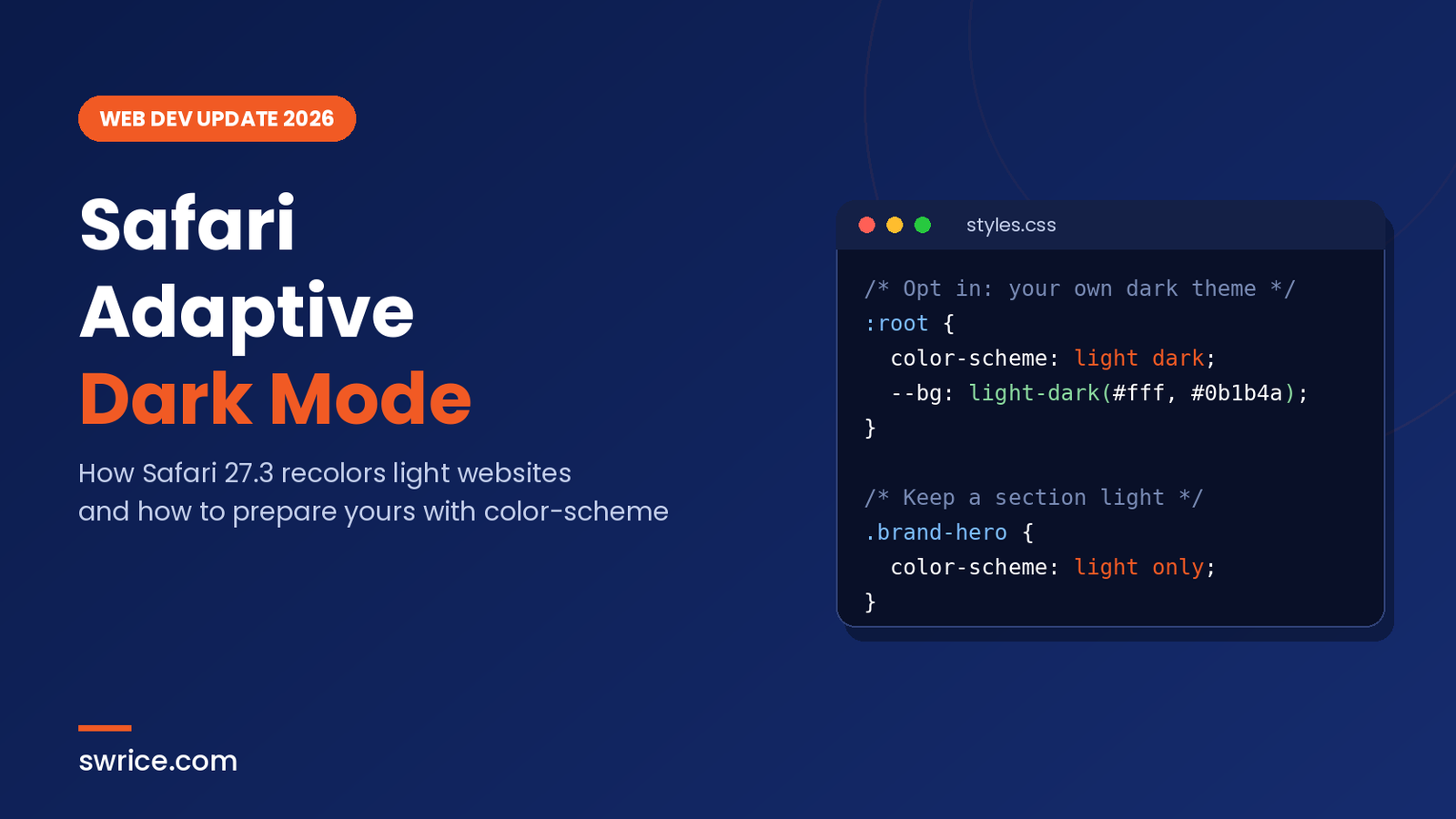
Safari Adaptive Dark Mode is a new Safari 27.3 beta feature that turns light websites dark, even if they never shipped a dark theme. Apple’s WebKit team announced it on November 3, 2026. As a result, your site may soon look different for many iPhone, iPad and Mac users.
This matters because the change happens in the browser, not in your code. So if your site only has a light design, Safari can now repaint it. In this guide, you will learn how the feature works, which sites it skips, and how to stay in control with a few lines of CSS.
What Is Safari Adaptive Dark Mode?
In short, Safari Adaptive Dark Mode is an engine-level recoloring feature built into WebKit. When a user turns it on, Safari takes a page that is mostly light and presents it as dark. The WebKit team says the goal is a consistent dark experience across the web.
The numbers explain why Apple built it. According to the WebKit announcement, almost 40% of web page loads come from users in dark mode. However, only about 10% of page loads actually support dark mode. That leaves a big gap, and many readers still hit bright white pages at night.
Browser extensions have done this for years. The difference is that this version runs deep inside the engine. Therefore, Apple says it is fast, power efficient and private by design.
Who can use it right now?
For now, Safari Adaptive Dark Mode lives only in the Safari 27.3 beta. That beta ships with the iOS 27.3, iPadOS 27.3, visionOS 27.3 and macOS 27.3 developer betas, plus macOS 26 and macOS Sequoia, according to Apple’s Safari 27.3 release notes. Several Apple-focused outlets expect the public release in December, but Apple has not confirmed a date.
To try it, a user first sets the system appearance to dark. Next, they open a website with a bright background. Safari then shows a preview and a “Try” button. In other words, nothing changes unless the user chooses it.
How Safari Adaptive Dark Mode Works
First, Safari checks whether your page already declares dark mode support. If you use <meta name="color-scheme" content="light dark"> in HTML or color-scheme: light dark in CSS, the feature does not change anything. Likewise, if the page already has a dark background with light text, Safari leaves it alone.
For every other light page, Safari quickly analyzes the colors. After that, it transforms them using a color matrix that inverts lightness while keeping the hue. So a pale blue panel becomes a deep blue panel, rather than a strange orange one.
Text, buttons and gradients
When Safari Adaptive Dark Mode recolors text, it aims for the WCAG 4.5:1 contrast ratio. In addition, it tries to keep buttons visible against their backgrounds, text readable over images, and hover menus clear. Light CSS gradients are also turned dark.
Images, SVG and canvas
Most images stay exactly as they are. However, icons and logos often lose contrast on a dark background. To fix that, Safari inspects SVG images and recolors them when needed. For bitmap images, it analyzes the pixel histogram and inverts simple black-and-white logos.
On the other hand, <canvas> content is never changed, because it is too hard to predict. If you draw UI into canvas, as in our HTML in Canvas guide, test those areas carefully. Finally, Safari may switch off masks and mix-blend-mode effects when they produce poor results on a recolored element.
You cannot detect it with JavaScript
This point surprises many developers. Safari deliberately hides whether the feature is active. JavaScript that reads CSS colors gets the original authored values, not the transformed ones. Similarly, images drawn into a canvas render in their original form.
Apple’s reason is privacy. If sites could detect the setting, trackers would gain one more fingerprinting signal. Consequently, you cannot write a script that “fixes” the recolored page. Instead, you need to control it declaratively with CSS and HTML.
How to Prepare Your Site for Safari Adaptive Dark Mode
You have three main options. Pick the one that fits your brand and your budget.
Option 1: Build your own dark theme (recommended)
The best result comes from a real dark theme. Once you declare support, Safari Adaptive Dark Mode steps aside and your own colors take over. Fortunately, the platform tools are mature and widely supported.
<!-- In the <head> -->
<meta name="color-scheme" content="light dark">
:root {
color-scheme: light dark;
--bg: light-dark(#ffffff, #0b1b4a);
--text: light-dark(#1a1a1a, #f2f4fa);
--accent: light-dark(#d9480f, #ff7a45);
}
body {
background: var(--bg);
color: var(--text);
}
@media (prefers-color-scheme: dark) {
.hero-photo { filter: brightness(0.9); }
}Here, light-dark() picks a value based on the active color scheme. Meanwhile, the prefers-color-scheme media query handles larger changes. You can also swap images with <picture> and a <source media="(prefers-color-scheme: dark)"> element.
WebKit adds one important tip. Declare color-scheme in the HTML head or on :root or body. Don’t inject it later with JavaScript, because the page should render correctly from the first paint.
Option 2: Keep the whole site light
Some brands must stay light, for example a strict print-style design. In that case, use the light only value of the color-scheme property.
<meta name="color-scheme" content="light only">

/* or in CSS */
:root { color-scheme: light only; }
There is a catch, though. WebKit notes that the only keyword is not supported in Safari 27.3 beta 1. So add it now, but re-test in each new beta before you rely on it.
Option 3: Mix both approaches
You can also target single elements. For instance, a product photo grid can stay light while the rest of the page adapts. Or a pricing table can get its own hand-tuned dark styles.
.product-grid {
  color-scheme: light only;
}

.pricing-table {
  color-scheme: light dark;
  background: light-dark(#f7f8fc, #111a3a);
}
Quick Checklist for Older Sites
Even if you do nothing else, a few modern habits help Safari Adaptive Dark Mode produce a much better result. WebKit itself recommends these changes:
- Swap bitmap logos and icons for SVG.
- Use solid or gradient CSS colors instead of tiled background images.
- Replace image sprites with CSS for rounded corners, shadows and button states.
- Export content images with transparent backgrounds, not the page color baked in.
- Add padding to containers so content doesn’t feel crowded.
Modern CSS helps here too. Functions like color-mix() and contrast-color(), plus a design system built on CSS variables, make theming far easier. If you enjoy new CSS features, see our guide to the CSS random() function as well.
How to Test Safari Adaptive Dark Mode Today
- Install the Safari 27.3 beta on a test device or Mac.
- Set the system appearance to Dark.
- Open your key pages: home, product, checkout and blog.
- Tap “Try” when Safari offers the preview.
- Check logos, inline SVG, charts, canvas areas and brand colors.
- Note any broken contrast, then decide on a custom theme or light only.
For WordPress sites, start with the theme’s global styles before you test Safari Adaptive Dark Mode. In most block themes, the color palette lives in theme.json, so a dark variation is often a small change. After that, review plugins that output their own hard-coded colors.
If a site behaves badly, Apple invites developers to email web-evangelist@apple.com. Users can also file reports through Feedback Assistant.
FAQ
Is Safari Adaptive Dark Mode on by default?
No. The user must set a dark system appearance and then choose to try the feature. Nothing changes for users who keep light mode.
Will it change my site if I already have a dark theme?
No. If you declare color-scheme: light dark in CSS or the matching meta tag, Safari leaves the page untouched.
Can I detect it in JavaScript?
No. For privacy reasons, Safari reports the original colors to scripts. You should rely on CSS declarations instead.
When will it reach stable Safari?
Apple has not named a date. Reports expect the 27.3 updates in December 2026, but treat that as unconfirmed until release.
Conclusion
Safari Adaptive Dark Mode is good news for users and a gentle push for developers. In the short term, Safari Adaptive Dark Mode means your light-only site may look different in Safari. In the long term, though, the fix is simple: ship a proper dark theme, or clearly mark the parts that must stay light. Start testing in the beta now, so the December release holds no surprises.
Sources
Need Help With Your Website or Web App?
Swrice builds and customises WordPress sites, plugins and web apps. Whether you need an upgrade, a custom feature or a fix, our team can handle it for you.
Leave a Reply