

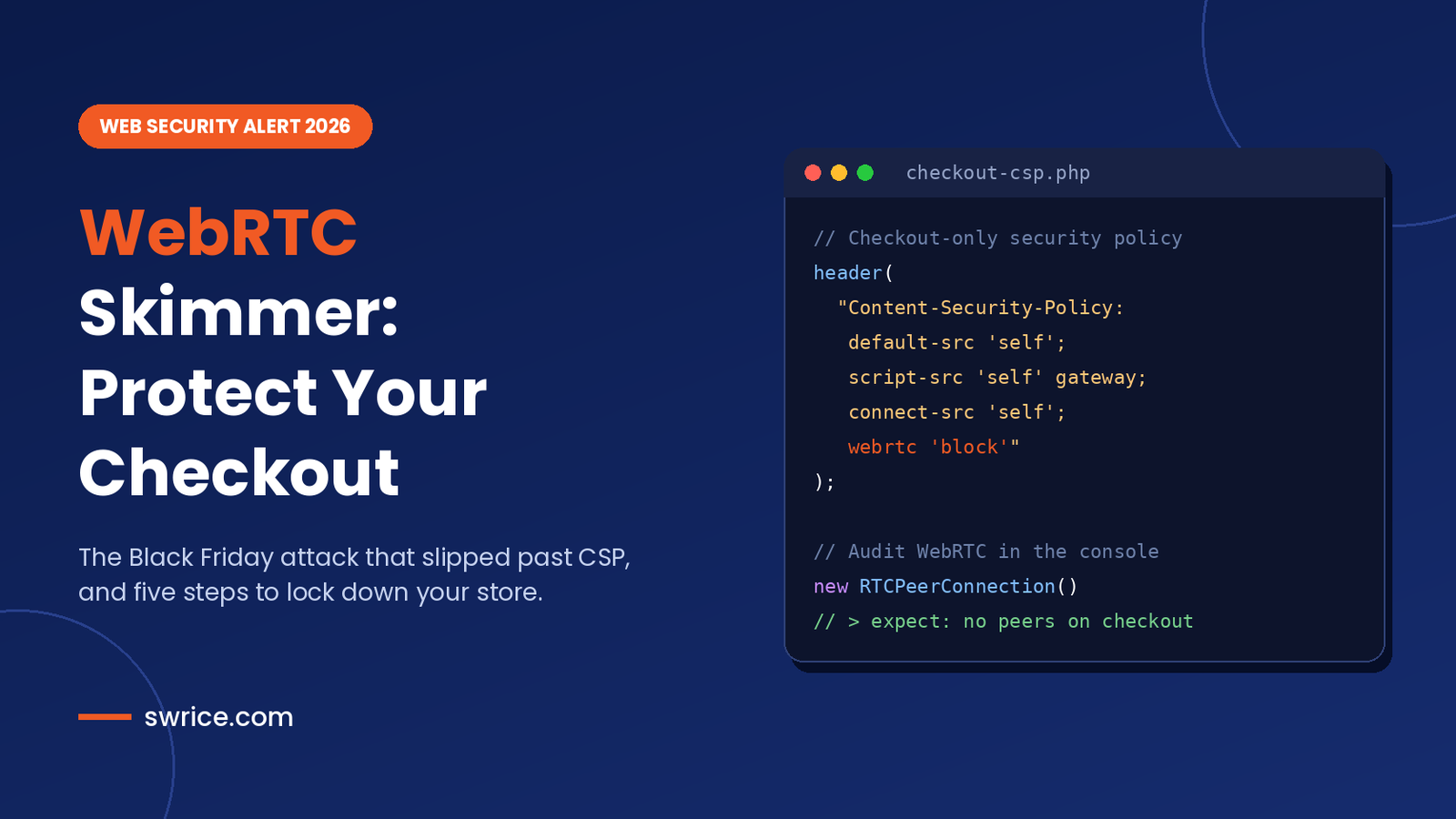
A WebRTC skimmer is card-stealing JavaScript that sends checkout data out through a WebRTC data channel instead of a normal web request. On November 27, 2026, security firm InfoHawk published a report about exactly this kind of attack. It hit five well-known online stores in the week before Black Friday.
The worrying part is not the theft itself. Instead, it is how quietly the data left the page. A strict Content Security Policy did not stop it, and desktop checks did not even see it.
In this guide, you will learn what happened, why the usual defences missed it, and how to protect your own checkout. Most of the steps also apply to WooCommerce and other WordPress stores.
What Happened: The Black Friday WebRTC Skimmer
According to InfoHawk, attackers planted the same skimming script on the stores of Lascana, Samsonite, American Tourister, Revolve and FWRD. The code was removed from all five sites on November 24 or 25, 2026, after the researchers reached out.
However, the script did not arrive through the stores’ own code in most cases. Instead, it came in through three different supply-chain paths:
- An altered marketing pixel. Lascana loaded a Quorum ad-attribution pixel, and that file was changed to load the skimmer.
- An edited cookie-banner setting. Samsonite and American Tourister used a Seers consent banner, and its configuration was changed.
- An altered CDN file. Revolve and FWRD served a modified file from Revolve’s own CDN.
The script was built to grab the card number, expiry date and security code. It also targeted the shopper’s name, address, phone number and email. Moreover, it collected these details before the payment was approved, so even a declined order could leak data.
InfoHawk saw the code send test card details to a third party on Lascana only. As a result, nobody knows yet how many real shoppers, if any, were affected.
Why the WebRTC Skimmer Slipped Past Normal Defences
Most card skimmers send stolen data with fetch(), an image request or a WebSocket. Those requests show up in network logs, and a good Content Security Policy can block them. This attack took a different route.
WebRTC Is Not Covered by connect-src
WebRTC lets browsers open peer-to-peer connections for video calls, games and file sharing. Its data channels do not go through the normal Fetch path. Consequently, the connect-src directive that limits fetch, XHR and WebSocket targets does not limit them.
In other words, a page can lock down every normal request and still leak data over WebRTC. In this case, the traffic often ran through Cloudflare TURN relays. That made it look like ordinary WebRTC traffic and hid the real endpoint.
It Only Ran Where Few People Look
The WebRTC skimmer also hid by being picky. It ran only on small or touch screens, and the Samsonite version ran on /checkout only. On top of that, InfoHawk says the server decided when to switch it on.
Therefore, a developer testing the homepage on a laptop would see nothing unusual. A crawler scanning public pages would also miss it.
How to Protect Your Checkout From a WebRTC Skimmer
You cannot fix this with one header. Instead, you need several layers that work together. Here is a practical plan you can apply this week.
1. Keep Card Fields in a Payment Provider Iframe
First, make sure card numbers never touch your own page. Use your payment gateway’s hosted fields or hosted payment page, so the card form lives inside the provider’s iframe. Scripts on your checkout page cannot read inside that cross-origin frame.
Most modern WooCommerce gateways already work this way. Still, check any older or custom gateway that renders plain card inputs in your theme. Keep in mind that address, phone and email fields stay on your page, so the next steps still matter.
2. Remove Third-Party Tags From Checkout
Next, cut down what runs on checkout, payment and login pages. Every pixel, tag manager and chat widget can run whatever its vendor’s file contains. In this attack, a marketing pixel and a consent banner were enough.
On WooCommerce, you can stop many scripts from loading on checkout with a small snippet. Replace the sample handles with the handles your site actually uses:
add_action( 'wp_enqueue_scripts', function () {
    if ( ! function_exists( 'is_checkout' ) || ! is_checkout() ) {
        return;
    }

    // Sample handles: replace with the scripts you want off checkout.
    $handles = array( 'marketing-pixel', 'live-chat-widget', 'heatmap-tracker' );

    foreach ( $handles as $handle ) {
        wp_dequeue_script( $handle );
        wp_deregister_script( $handle );
    }
}, 100 );
If you load tags through Google Tag Manager, add a trigger exception for checkout URLs instead. That way, marketing teams can keep tracking the rest of the store.
3. Add a CSP With webrtc ‘block’
The CSP Level 3 draft defines a webrtc directive that takes 'allow' or 'block'. It was designed to close this exact gap. Browser support is still limited, so check current support before you rely on it.
Even so, browsers ignore directives they do not understand. Adding it now is harmless, and it starts working as soon as browsers support it. Here is a simple way to send a checkout-only policy from WordPress:
add_action( 'template_redirect', function () {
    if ( ! function_exists( 'is_checkout' ) || ! is_checkout() ) {
        return;
    }

    // Start in report-only mode, then switch to Content-Security-Policy.
    header( "Content-Security-Policy-Report-Only: default-src 'self'; "
        . "script-src 'self' https://js.your-gateway.example; "
        . "frame-src https://js.your-gateway.example; "
        . "connect-src 'self' https://api.your-gateway.example; "
        . "webrtc 'block'" );
} );
Replace the sample gateway domains with the ones your provider documents. Then watch the reports for a few days before you enforce the policy. A tight script-src still matters most, because it stops unknown scripts from loading at all.
4. Pin Static Scripts With Subresource Integrity
For scripts that should never change, add Subresource Integrity hashes. The browser then refuses to run a file whose content no longer matches the hash. An altered CDN file, like the one at Revolve, would fail this check.
Note that SRI does not suit scripts that vendors update often, such as most pixels. That is another reason to keep those scripts off checkout entirely.
5. Test Checkout on Mobile, Not Just Desktop
Finally, test the way the attackers targeted. Open your checkout with device emulation in Chrome DevTools, or better, on a real phone. Then walk through the full flow with a test card.
While you test, open chrome://webrtc-internals in another tab. If your store does not use WebRTC, this page should show no peer connections from your checkout. You can also run this quick check in the console before you fill in the form:
// Logs any WebRTC connection opened after this runs.
const OriginalPC = window.RTCPeerConnection;
window.RTCPeerConnection = function (...args) {
  console.warn('RTCPeerConnection created on this page', args, new Error().stack);
  return new OriginalPC(...args);
};
This snippet only catches connections created after it runs. So treat it as a quick check, not a full audit.
WebRTC Skimmer Risks and PCI DSS Rules
If you take card payments, this attack also touches compliance. PCI DSS 4.0 added requirements 6.4.3 and 11.6.1, which became mandatory on March 31, 2025.
- Requirement 6.4.3 asks you to keep an inventory of scripts on payment pages, authorise each one and check its integrity.
- Requirement 11.6.1 asks you to detect unauthorised changes to those pages and their security headers.
A WebRTC skimmer injected through a pixel is exactly the kind of change these rules target. Fewer scripts on checkout means a smaller inventory, fewer changes to watch and lower risk overall. For a wider look at keeping your stack patched, see our guide to the WordPress 7.1.5 security release.
What WooCommerce Store Owners Should Do Today
If you run a WooCommerce store, here is a short checklist for this week:
- List every script that loads on your cart, checkout and account pages.
- Remove marketing pixels, heatmaps and chat widgets from checkout unless they are truly needed.
- Review your consent banner settings and who on your team can change them.
- Confirm your payment gateway uses hosted fields or a hosted payment page.
- Add a report-only CSP on checkout, including
webrtc 'block'. - Test the checkout on a phone and look for unexpected WebRTC connections.
Also, keep WooCommerce itself up to date, since new releases often change checkout behaviour. Our WooCommerce 11.3 guide covers the latest changes to check after an update.
FAQ
What is a WebRTC skimmer?
It is malicious JavaScript that steals form data, such as card details, and sends it out over a WebRTC data channel. Because of that, it avoids the network controls that watch normal web requests.
Does a Content Security Policy stop a WebRTC skimmer?
Not on its own today. The connect-src directive does not cover WebRTC, and the newer webrtc directive is not widely supported yet. A strict script-src still helps, because it can stop the skimmer from loading in the first place.
Was my WooCommerce store affected?
The InfoHawk report names five large retailers, not WooCommerce itself. However, any store that loads third-party scripts on checkout faces the same type of risk. So it is worth running the checks above.
Should I disable WebRTC on my site?
If your checkout does not use video calls or other real-time features, you do not need WebRTC there. In that case, adding webrtc 'block' to your checkout CSP costs nothing.
Conclusion
The Black Friday WebRTC skimmer is a clear warning for anyone who runs an online store. It skipped the store’s own code, hid on mobile checkout pages and sent data through a channel that connect-src does not cover.
The good news is that the fixes are practical. Keep card fields in a payment iframe, strip third-party tags from checkout, add a tight CSP with webrtc 'block' and test on real phones. Together, these steps make a WebRTC skimmer far harder to plant and far easier to spot.
Sources
Need Help With Your WooCommerce Store?
Swrice secures, speeds up and customises WooCommerce stores, from checkout audits to custom features and fixes.
Leave a Reply